How to use the PlanMyNikah Wedding Checklist
How to use the free Wedding Checklist: start on Up next, work through the phases for each event, add due dates, assign tasks and write your own.
Words by Ilyas Amar
14 June 2026
5 minute read
Updated 11 November 2026
Sources, estimates and corrections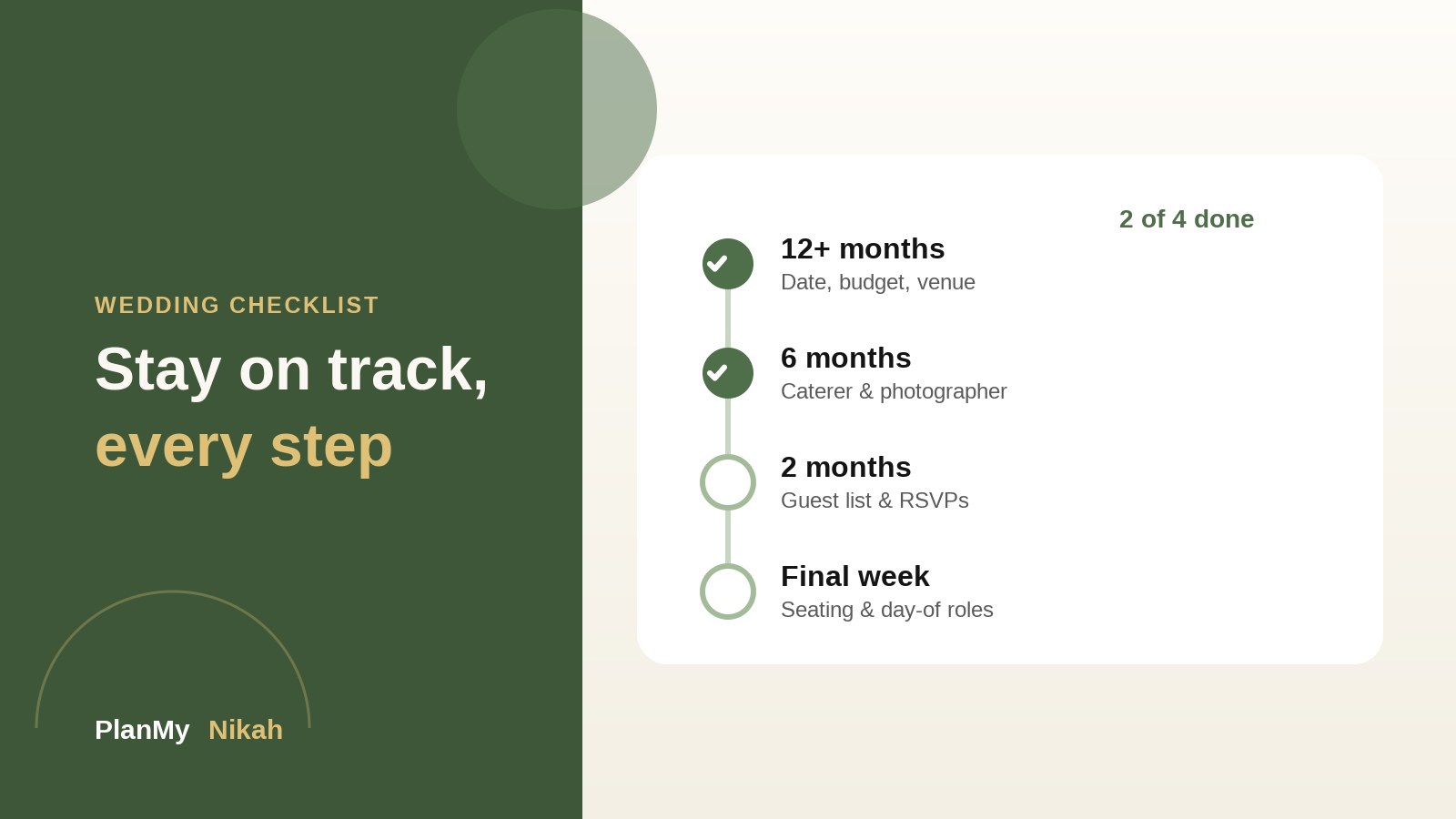
The free Wedding Checklist keeps your nikah, mehndi, barat, walima and civil ceremony tasks together. It opens on an Up next list, groups every task into phases, and lets you add due dates, assign tasks and write your own. Saving progress needs a free PlanMyNikah account; the public preview shows an example and saves nothing.
What does the Wedding Checklist do?
The Wedding Checklist gives you ready-made task lists for Nikah, Mehndi, Barat, Walima and Civil Ceremony, then lets you tick, rename, remove and add tasks. Its default view, Up next, shows what needs you first. Progress is counted across the events in your plan, and everything saves to your account.
How do I get started with the checklist?
Sign in, open Checklist and start on Up next, which lists up to 12 tasks: your own deadlines first, then suggested timing. Tick a task when it is done, or open its Actions menu to add a due date, assign it or rename it.
- Sign in or create a free account, then open Checklist. Signed out, you are sent to a preview with example tasks.
- Work through Up next. Tick a task to mark it done; finished tasks move to Completed.
- Open a phase such as 6 Months Before to work ahead. Phases are collapsed, not hidden, so every task stays reachable.
- If you know your nikah date, save it on the Dashboard. For other celebrations, choose Set event dates in your wedding website when the checklist flags a missing date. Enter a date for each event, even if two share a day.
- Use the event tabs to see one event's tasks in full, and My List for tasks of your own.
Tip
Do not try to read everything at once. Open Up next, do this week's tasks and close it. Your own due dates always come first, and nothing is lost.
How are the checklist tasks organised?
Tasks sit in phases within each event. The Nikah list runs from 12 Months Before through 6 Months Before, 3 Months Before, 1 Month Before and 1 Week Before to Wedding Day. Other events have shorter lists. Up next ranks tasks from every event in your plan, and the overall progress figure counts only those events.
| View | What it shows |
|---|---|
| Up next | Up to 12 tasks that need you: your recorded deadlines first, then suggested timing, with every phase collapsed below |
| Nikah, Mehndi, Barat, Walima, Civil Ceremony | That event's ready-made sections and tasks, which you can edit |
| My List | Your own groups and tasks that do not belong to one event |
| Overdue tasks and Tasks due today | Unfinished tasks with a deadline you set; these views open from your Dashboard |
An event that is not in your plan is marked "not in your plan", kept for reference and left out of your progress. You choose your events on the wedding website events step or in Seating.
Can I add my own tasks and change the ready-made ones?
Yes. In an event tab you can add a task to any section, add a new section, rename or remove tasks, and reset that event to its default tasks after a confirmation. My List is a separate tab for tasks that belong to no single event. Your edits save to your account.
How do due dates and assigning tasks work?
Open a task's Actions menu and choose Add a due date or Assign to someone. Due dates are your own deadlines: they appear first in Up next, and overdue tasks are flagged. Assignees come from your Family board, so invite the person in Family first. If a ready-made task has no deadline of its own, the checklist suggests timings for its phase from that celebration’s date. A deadline you enter yourself stays on the date you chose, even if the event moves.
Tasks that involve booking a vendor can link straight into vendor search, prefilled with your saved location where you have one.
Does the checklist need a wedding date?
You can start with no dates. The No wedding date yet? Start here panel suggests jobs you can do straight away, such as setting a rough budget and agreeing a guest count. The checklist can use the wedding date saved on your Dashboard for your nikah. Other celebrations use their own dates.
For example, if your walima is a week after your nikah, enter the walima date in your wedding website. Until then, you can still tick off walima tasks or give one a deadline, such as the date your caterer needs final numbers. The wedding website setup guide shows where to add each event to the schedule.
Can Hilal help with my checklist?
Optionally. A task's Actions menu has Ask Hilal about this task, and the Ask Hilal panel includes Get checklist suggestions with a Review my checklist plan button. Hilal only proposes changes, and nothing is saved until you review and confirm each one. Availability and allowance vary, and the checklist works fully without it.
Who else can see or tick off my checklist?
Only you, unless you share it. From Family you can give someone Can view or Can edit access to Checklist, for all tasks or only the tasks assigned to them. With assigned-task access a helper can complete just their own tasks. Other tools, such as Budget and Guest List, are shared separately.
The practical edit
Frequently asked questions
Is the checklist free?
Yes. The Wedding Checklist is free with a PlanMyNikah account. The public preview needs no account but only shows an example.
Is it specific to Muslim weddings?
Its ready-made tasks are built around a nikah and walima, plus mehndi, barat and a civil ceremony. They include booking the masjid or nikah venue, contacting the imam, confirming the wali, halal catering and prayer space. Practice varies between families, so edit tasks to match your own and ask your imam.
Can I add my own tasks?
Yes. Add tasks and sections in any event tab, or use My List for tasks that belong to no single event. You can also rename or remove ready-made tasks.
Does my progress save?
Yes. Ticks, edits, due dates and assignees save to your account, so you can pick up on a phone or laptop where you sign in.
What if I do not have a wedding date yet?
Open the event tab and work through its phases in order. You can add your own deadlines while an event is undated. Once you enter that celebration’s date, the checklist can suggest timings for its ready-made tasks.
The letter from the editor
Wedding planning tips, straight to your inbox
Nikah checklists, budget advice and practical ideas, about twice a month. No spam.
Continue the edition
Related reading

Asian Bridal Makeup Trial: A UK Muslim Bride’s Checklist
Make your bridal trial a rehearsal for the whole look, not just the makeup. A practical guide to hijab and dupatta setting, privacy, photographs and preparation for your nikah or walima.
Halal Wedding Cake Guide for UK Muslim Couples
Choose a halal wedding cake with confidence. This practical UK guide covers ingredients, certification, allergens, tastings, delivery and venue setup.
Asian Wedding Food Menu Ideas for UK Muslim Couples
Build a balanced halal menu for your mehndi, nikah, baraat or walima. This practical UK guide covers dishes, service styles, allergies and tasting questions.