How to track wedding vendor payments and deposits
See total costs, deposits paid and balances due across every vendor in one place — so no payment ever sneaks up on you.
Words by PlanMyNikah Team
12 June 2026
2 minute read
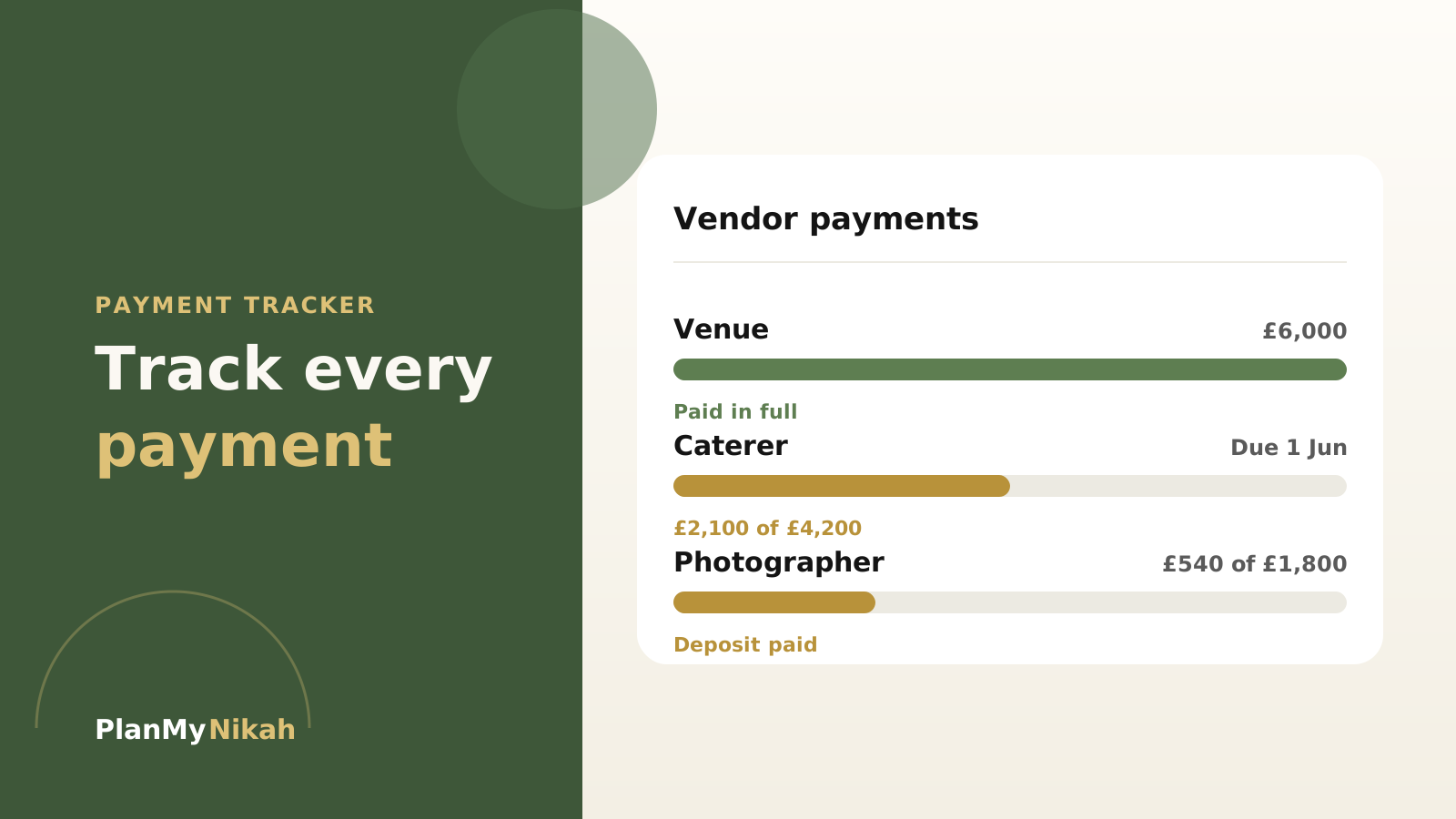
Deposits here, balances there, a final payment due "sometime before the day" — vendor money is easy to lose track of, and the cost of forgetting is real. The free Payment Tracker keeps every figure in one clear view.
See the whole picture
For each vendor, the tracker shows the total cost, what you've paid, and what's still owed. Instead of digging through emails to remember whether the photographer's balance is settled, you just look.
Important
Most vendors take a deposit to hold your date and the balance closer to the day. Logging both as soon as you book means you're never surprised by a payment you'd half-forgotten.
Never miss a due date
Record when each balance is due and the tracker keeps it in front of you. A missed final payment can mean a stressful phone call — or worse, a vendor who doesn't show. This is the tool that quietly prevents that.
Set it up once
- Add each booked vendor and their total cost
- Log the deposit you've paid
- Note the balance and its due date
- Update it the moment you make a payment
- Check it alongside your Budget Planner
Tip
Update the tracker the same day you pay, while the amount is fresh. Five seconds then saves a confused reconciliation later.
It works with your budget
The Payment Tracker and Budget Planner share your account, so what you've paid lines up with what you've planned — and you always know how much is genuinely left to spend.
The practical edit
Frequently asked questions
Is the Payment Tracker free?
Yes — it's free with a PlanMyNikah account.
How is it different from the Budget Planner?
The Budget Planner is about planning what you'll spend; the Payment Tracker is about tracking what you've actually paid and what's still due. They work together.
Can I see what's still outstanding?
Yes. For every vendor you can see the total, the amount paid and the balance remaining, with due dates.
Does it save across devices?
Yes — everything syncs to your account, so you can check it from your phone or laptop.
The letter from the editor
Wedding planning tips, straight to your inbox
Nikah checklists, budget advice and practical ideas, about twice a month. No spam.
Continue the edition
Related reading

Muslim Wedding Photography Shot List: Nikah, Mehndi and Walima
Plan the photographs that matter at your nikah, mehndi, baraat and walima. This practical UK guide covers family groups, privacy, ceremony moments and the final photographer brief.
Walima Planning Checklist for UK Muslim Couples
A practical walima planning checklist for UK Muslim couples, covering guests, budget, venues, halal catering, privacy, suppliers and the running order.
Muslim Wedding Gifts: What to Give at a Nikah or Walima
Practical gift ideas for UK Muslim weddings, with guidance on cash, personalisation and receiving presents across a nikah and walima.