How to use the Guest List & RSVP manager
Keep names, event attendance, dietary notes and tables together. Review online RSVPs, import attending guests and agree final numbers with your vendors.
Words by PlanMyNikah Team
16 June 2026
5 minute read
Updated 23 September 2026
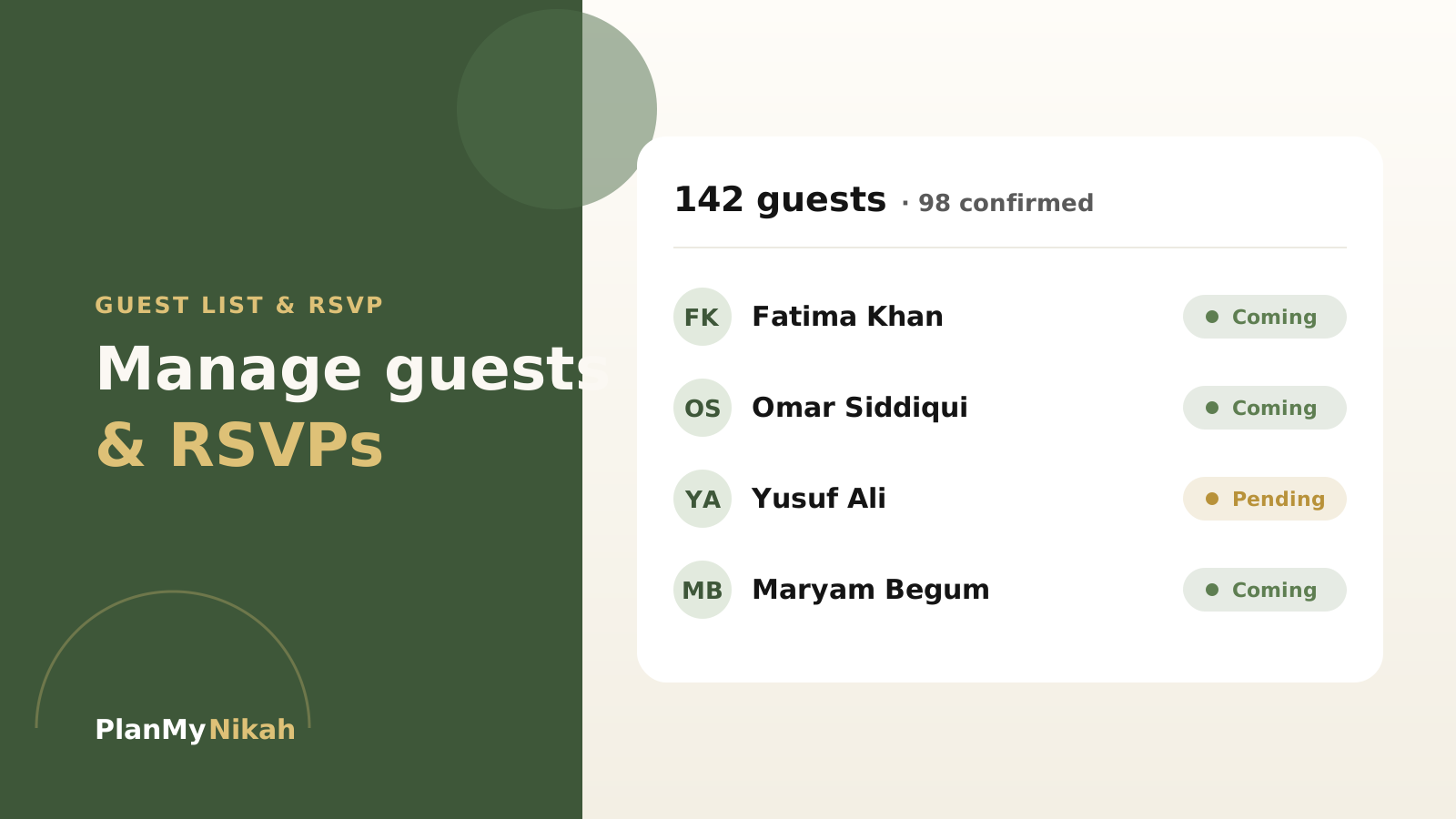
A big family is a blessing and a logistics puzzle. The free Guest List tool keeps names, RSVP status, dietary notes and table assignments in one place. If you collect replies through your wedding website, review them in the RSVP Tracker before importing attending guests into your working list.
One list, not ten
Add every guest once, with the details that actually matter: which side they're on, their RSVP status, and any dietary needs. Keep confirmed, pending and declined replies distinct so an invitation does not get mistaken for an accepted place.
Use each person's name where you can, even when a family replies together. Before adding a name from a parent's message, check whether that person is already on the list.
Tip
Build the list event by event. Some guests come to the nikah, some to the walima, some to both. Record their event attendance so a walima acceptance does not also become a nikah seat.
Collect replies, then review and import
The online RSVP form lives on your published wedding website. Guests can respond without a PlanMyNikah account. Depending on the settings you enable, the form can collect event choices, party names, meal preferences and other useful notes.
Work through replies in this order:
- Publish your wedding website, enable RSVPs and choose the events and details you need to ask about.
- Share the invitation link with guests, with a clear RSVP deadline.
- Open the RSVP command centre on your website dashboard. Check the names, attendance, selected events and any meal or access notes.
- Review extra-guest requests before counting them as confirmed places.
- Import the selected attending responses into the Guest List and Seating Plan. Their event choices go with them.
Receiving a reply is not the same as importing it. The RSVP command centre distinguishes new responses, imported responses and replies that need review. Check that status before treating your working guest list as complete.
If someone replies by phone or WhatsApp, update their guest record yourself. If a guest changes their answer later, check the current response against the guest list and seating plan before confirming the revised numbers.
Agree the final numbers with your vendors
Ask your venue and caterer when they need the final headcount, how they count children and vendor meals, and how they handle changes after that deadline. Set your RSVP deadline early enough to review replies and follow up on missing answers.
There is no single guest buffer that suits every wedding. Agree any spare places or extra meals with the venue and caterer, taking capacity and cost into account, rather than adding a percentage automatically.
Important
Record dietary and access needs against the right person, then confirm the arrangements with the relevant vendor. A note in your guest list is not confirmation that a request can be met.
Give each vendor the count for the event they are working on. Your nikah, walima and any other celebrations may have different attendance.
Turn confirmed guests into a seating plan
Once you have reviewed attendance, use the Seating Plan to arrange guests by event. Check table assignments against the current list, especially after late additions or changed replies.
You can export the guest list as a CSV with RSVP status, side tags, dietary notes and table numbers. Check the file before sharing it and give each helper or vendor only the details they need for their role. When the headcount changes, review your catering estimate as well as your tables.
Guest-list checklist
- Add names, family side and event attendance
- Keep confirmed, pending and declined replies up to date
- Review online responses and import attending guests
- Reconcile replies received by phone or message
- Confirm meal and access arrangements with vendors
- Agree final headcounts, deadlines and any spare places
- Check table assignments before sharing the final list
Bring family in with clear responsibilities
Ask one person from each side to help chase missing replies and send you corrections. Agree who maintains the working list so two helpers do not count the same household twice.
The Family Collaboration board is useful for shared tasks, vendor votes and messages. Inviting someone to that board does not automatically give them access to your private guest list, budget or account settings. Share the specific information a helper needs for their task.
The practical edit
Frequently asked questions
Is the Guest List tool free?
Yes. It is free with a PlanMyNikah account. The public preview uses example data; create an account to save and manage your own list.
Do online replies update my guest list automatically?
Online replies arrive in the RSVP command centre. Review them and import the selected attending guests into the Guest List and Seating Plan. Keep phone replies and later changes reconciled with your working list too.
Can I manage separate nikah and walima attendance?
Yes. Record which events each guest is attending. Online RSVP event choices can be carried into the Guest List and Seating Plan when you import attending responses.
Can guests send dietary information when they RSVP?
Yes, depending on the fields you enable on the wedding website. Review the meal choices and notes, then confirm what the caterer can provide.
Can my family see the guest list through the shared board?
The family board does not automatically grant access to your private guest list. Use it to coordinate tasks and share only the details each helper needs.
The letter from the editor
Wedding planning tips, straight to your inbox
Nikah checklists, budget advice and practical ideas, about twice a month. No spam.
Continue the edition
Related reading

Muslim Wedding Photography Shot List: Nikah, Mehndi and Walima
Plan the photographs that matter at your nikah, mehndi, baraat and walima. This practical UK guide covers family groups, privacy, ceremony moments and the final photographer brief.
Walima Planning Checklist for UK Muslim Couples
A practical walima planning checklist for UK Muslim couples, covering guests, budget, venues, halal catering, privacy, suppliers and the running order.

Muslim Wedding Gifts: What to Give at a Nikah or Walima
Practical gift ideas for UK Muslim weddings, with guidance on cash, personalisation and receiving presents across a nikah and walima.